
Download OLTRE – Cloud‑Based HR Management Tool for Small Businesses
Overview
OLTRE is a cloud‑based human resources platform designed to simplify staff management for small‑to‑medium enterprises that rely on shift work. The service offers a web portal, a desktop client for Windows and macOS, and native mobile apps for Android and iOS, allowing managers and employees to log in from any device. Once inside the cloud account, users can assign tasks, record completed work, and track key metrics such as staff hours, absenteeism, and shift‑cover conflicts.
The real‑time dashboard provides a clear snapshot of who is on‑call, who has logged overtime, and where scheduling gaps exist. While OLTRE does not introduce groundbreaking features that larger HR suites boast, its straightforward interface and low‑cost pricing model make it an attractive option for businesses that need a reliable way to coordinate shift schedules without the overhead of complex enterprise software. The platform’s secure cloud architecture ensures data is encrypted both in transit and at rest, and regular automatic updates keep the system compliant with the latest privacy regulations.
In short, OLTRE delivers a practical, user‑friendly solution for businesses that need to delegate tasks, monitor attendance, and resolve scheduling conflicts quickly and securely.
Key Features
- Cloud‑Hosted Dashboard: Real‑time visibility of staff availability, pending tasks, and completed work across all devices.
- Shift Scheduling Engine: Drag‑and‑drop calendar for creating, editing, and publishing shift rosters in minutes.
- Attendance Tracking: Automatic logging of clock‑in/out times, overtime, and absenteeism with exportable reports.
- Task Delegation: Managers can assign tasks to specific employees, set deadlines, and receive completion notifications.
- Mobile Apps (iOS & Android): Full‑featured mobile experience for on‑the‑go staff to view schedules, request shift swaps, and log hours.
- Desktop Clients: Windows and macOS applications that provide offline caching and faster load times for power users.
- Secure Data Management: End‑to‑end encryption, role‑based access controls, and GDPR‑compliant data storage.
- Automated Updates: Seamless background updates keep the software current without manual intervention.
- Integrations: Simple API hooks for payroll systems, time‑tracking devices, and third‑party calendar tools.
These features collectively address the most common pain points faced by small businesses: time‑consuming manual scheduling, lack of visibility into staff availability, and the risk of data breaches. OLTRE’s modular design also means you can start with the core scheduling functions and expand to task management or advanced reporting as your organization grows.
Installation & Usage Guide
Desktop Application Setup (Windows & macOS)
1. Visit the official OLTRE download page and click the “Download for Windows” or “Download for macOS” button.
2. Run the installer (OLTRESetup.exe or OLTREInstaller.pkg) and follow the on‑screen prompts.
The wizard checks system prerequisites, installs required libraries, and creates a shortcut on your desktop.
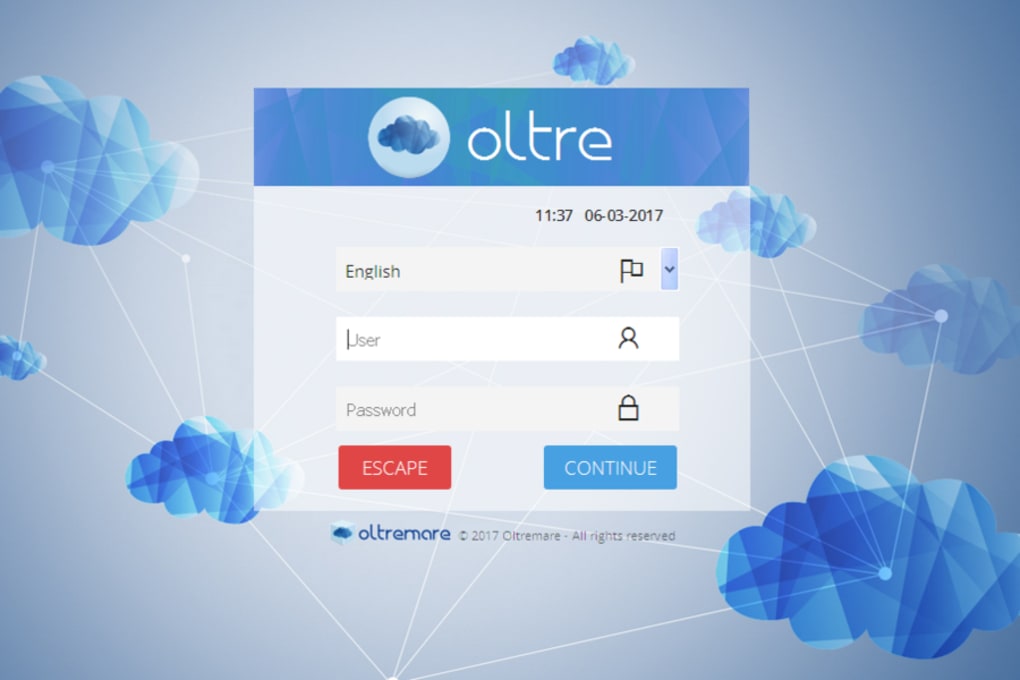
3. Launch the app and sign in with the credentials provided by your administrator. The first login triggers a secure synchronization with the cloud server, pulling down your company’s schedule, task list, and employee directory.
4.
Navigate the left‑hand menu to access “Dashboard,” “Schedule,” “Tasks,” and “Reports.” You can customize the layout by dragging widgets to your preferred positions.
Mobile App Deployment (iOS & Android)
1. Open the App Store (iOS) or Google Play Store (Android) and search for “OLTRE HR.”
2. Tap “Install” and wait for the download to complete.
3.
After installation, open the app and sign in using the same email and password you use for the desktop version. The app will automatically sync with the cloud, displaying your personal schedule and any pending tasks.
4. Enable push notifications to receive real‑time alerts when a manager assigns a new shift or when a shift swap request is approved.
Web Portal Access
For occasional users or administrators who prefer not to install software, OLTRE offers a responsive web portal. Simply navigate to app.oltre.com, enter your credentials, and you’ll have full access to all features from any modern browser. The portal mirrors the desktop UI, ensuring a consistent experience across platforms.
Across all platforms, OLTRE employs two‑factor authentication (2FA) for added security. Once logged in, you can set personal preferences, such as preferred language, time‑zone, and notification cadence, ensuring the tool adapts to each user’s workflow.
Pros & Cons
Pros
- Intuitive drag‑and‑drop scheduling makes roster creation fast.
- Cross‑platform availability (desktop, web, mobile) keeps staff connected.
- Secure cloud storage with end‑to‑end encryption protects sensitive HR data.
- Affordable pricing tiers suitable for small businesses.
- Automatic updates eliminate the need for manual patch management.
Cons
- Lacks advanced analytics and AI‑driven forecasting found in larger HR suites.
- Custom integration options are limited to basic API hooks.
- Reporting templates are simple; complex payroll calculations require external tools.
- No built‑in onboarding or training modules for new hires.
- Offline functionality is restricted to the desktop client and requires later sync.
Overall, OLTRE delivers a solid set of core HR capabilities that address the most urgent needs of shift‑based businesses. While power users may miss deeper analytics, the platform’s ease of use, security focus, and low cost make it a compelling choice for organizations that want to move away from spreadsheets and manual paperwork.
Frequently Asked Questions
Is OLTRE a free tool or does it require a subscription?
OLTRE offers a 14‑day free trial with full feature access. After the trial, you need to choose a subscription plan that starts at $9.99 per user per month. All plans include cloud hosting, automatic updates, and basic support.
Can OLTRE integrate with my existing payroll system?
Yes. OLTRE provides RESTful API endpoints that allow you to push attendance and overtime data into most major payroll platforms. While native connectors are limited, the API is well‑documented for custom integrations.
How secure is my employee data on OLTRE?
All data is encrypted with AES‑256 both in transit (TLS 1.3) and at rest. Role‑based access controls ensure only authorized personnel can view sensitive information, and the service complies with GDPR, CCPA, and ISO‑27001 standards.
Does OLTRE work offline?
The desktop client caches recent schedules and tasks, allowing limited offline access. Once an internet connection is restored, the client automatically syncs any changes made while offline.
What operating systems are supported?
OLTRE supports Windows 10/11, macOS 11 (Big Sur) or later, Android 8.0+, and iOS 13+. The web portal works on any modern browser, including Chrome, Edge, Safari, and Firefox.
Conclusion & Call to Action
For small businesses that juggle rotating shifts, frequent staff swaps, and the need for quick task delegation, OLTRE offers a balanced blend of simplicity, security, and cross‑device accessibility. While it may not replace a full‑scale HRIS for large enterprises, its affordable pricing and low learning curve make it an ideal first step toward digital workforce management. Ready to eliminate scheduling headaches and gain real‑time visibility into your team’s productivity? Download OLTRE today and start your free trial. Experience a secure, cloud‑driven HR solution that keeps your staff connected, your data safe, and your operations running smoothly.



.png)



